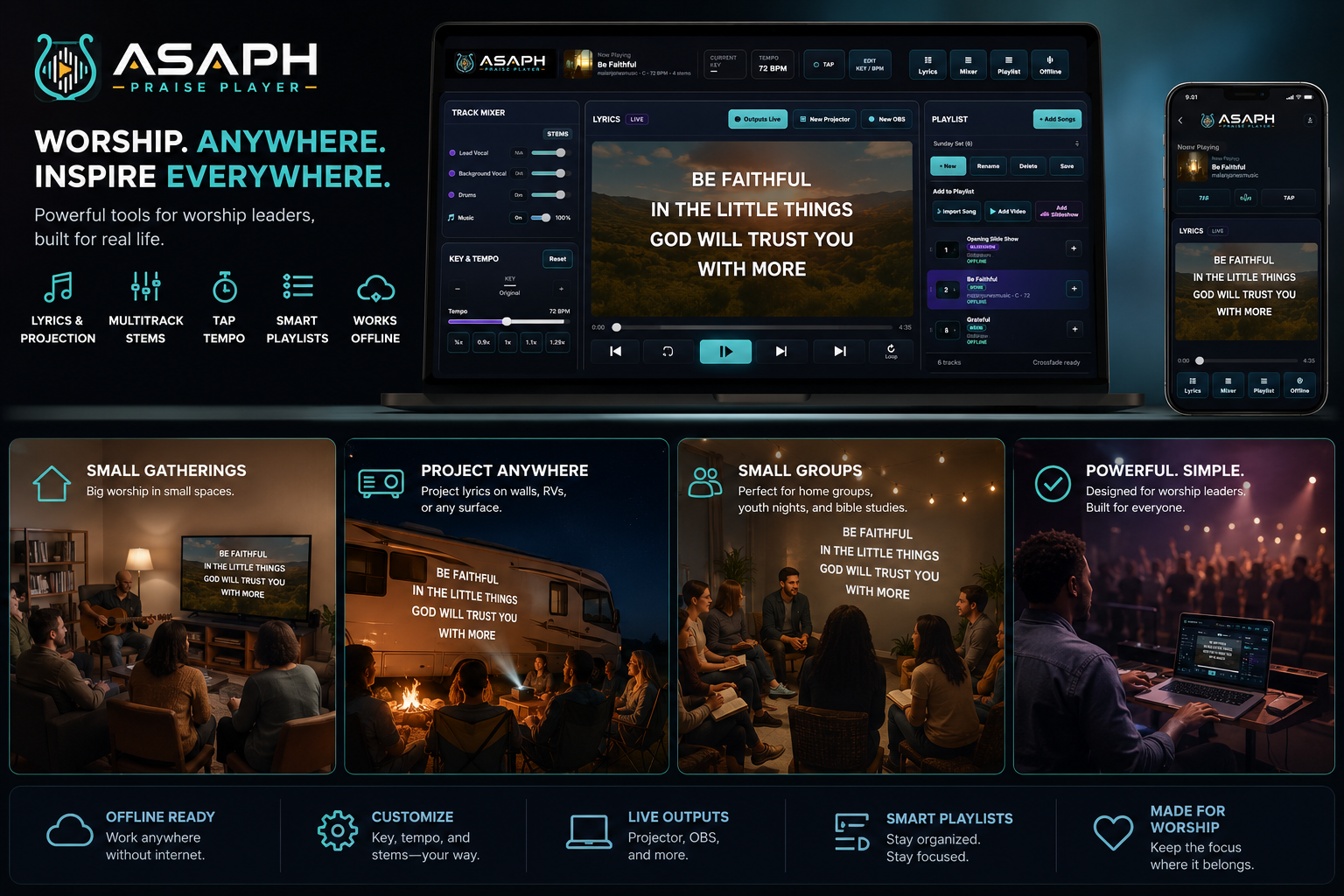
Built for the gatherings that matter
Less setup.
More room to worship.
Gather anywhere
Take a worship set to a living room, coffeehouse, campground, youth night or small church without hauling a complicated system.
Keep it moving
Build simple playlists, remember each song’s key, and keep songs, local video and slideshows ready from one place.
Reach every screen
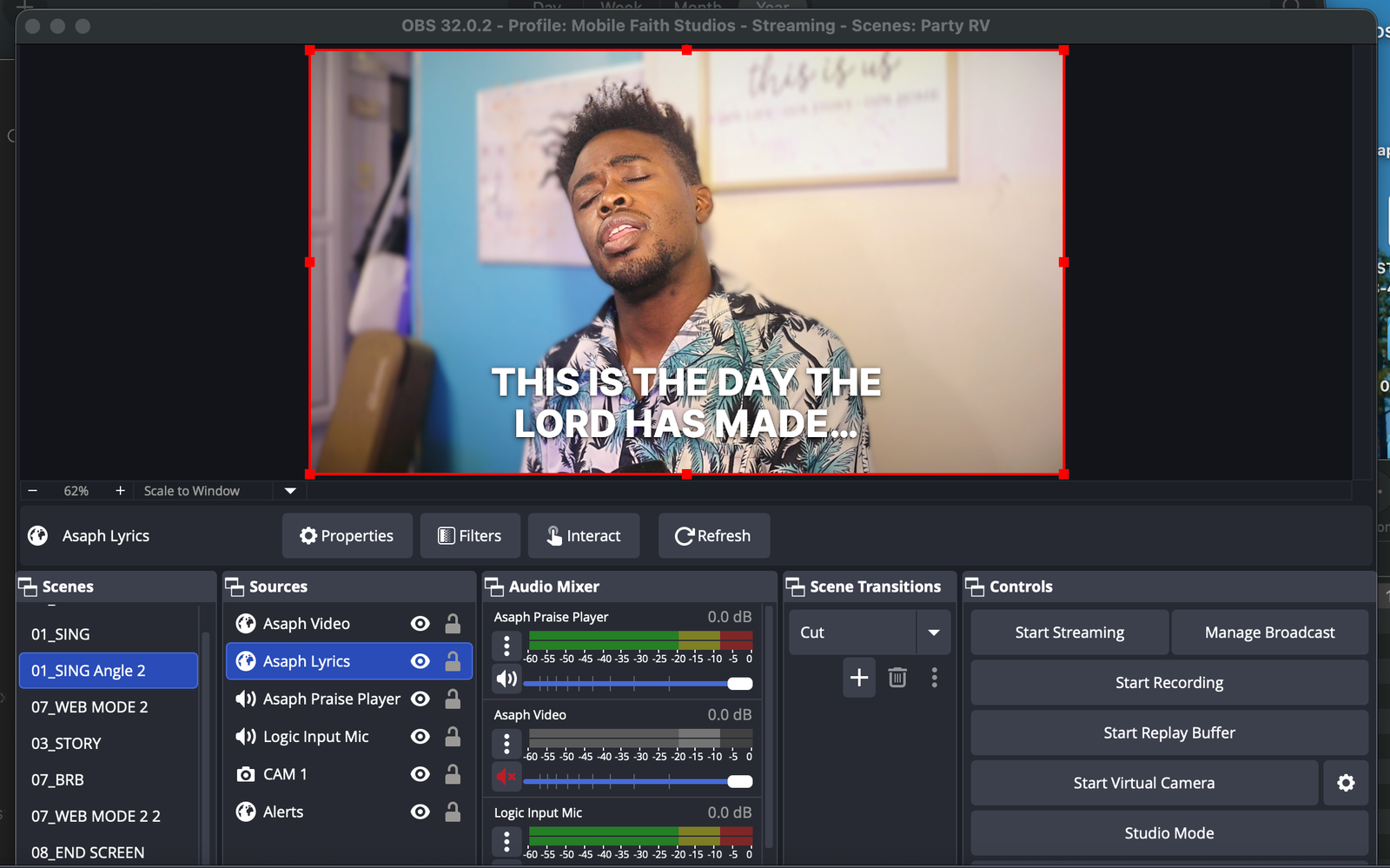
Lead the room with projector lyrics, then send a dedicated lyric or media feed to OBS for the people joining online.
Everything stays in the moment
Everything you need. Nothing you don’t.
Designed for real worship leaders—not a production team with a truck full of gear.Playlist & media library
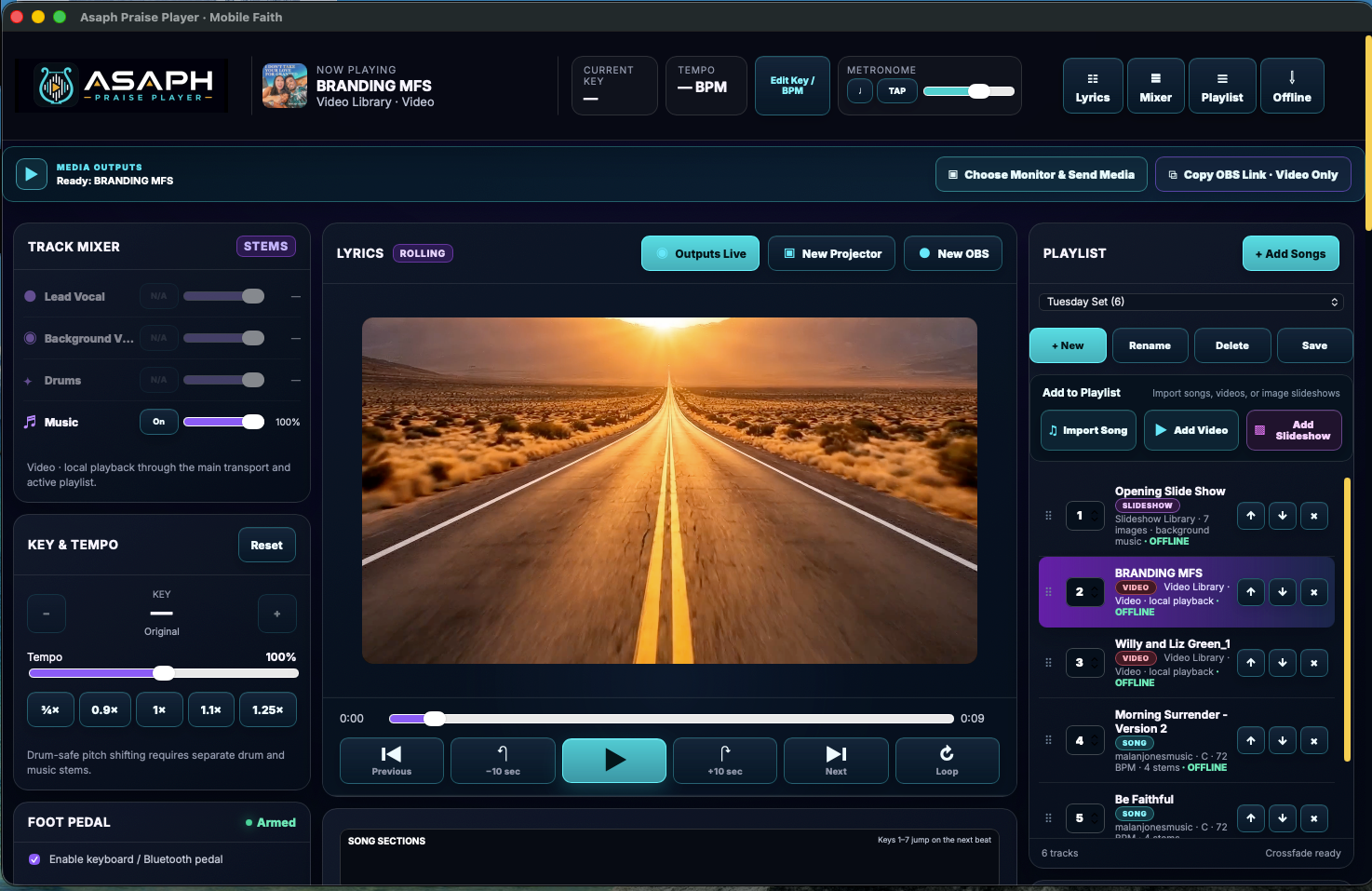
Build and rename setlists, number your order, preserve song settings, and combine performance tracks, local videos and slideshows.
Drum-safe pitch shifting
Change the musical key while keeping drums natural, with each setting remembered for that song in that playlist.
Professional stem mixer
Control music, drums, background vocals and lead vocals alongside an eight-input live mixer and plugin monitoring.
Lyrics & live outputs
Navigate lyrics, sections and song information while driving dedicated projector, OBS and live display outputs.
Hard-drive video playback
Keep video files local for dependable playback, build a reusable library and send video-only feeds where they belong.
Image slideshows
Arrange images, add background music, choose crossfade or slide transitions, and decide how the slideshow ends or loops.
Audio interfaces & routing
See individual inputs and outputs from devices such as the Scarlett 18i8 and create different mixes for house, headphones and recording.
See the player in action
The real workspace.
Built for the live room.
Explore the actual Asaph interface—from song preparation and lyrics to routing, stems and monitoring.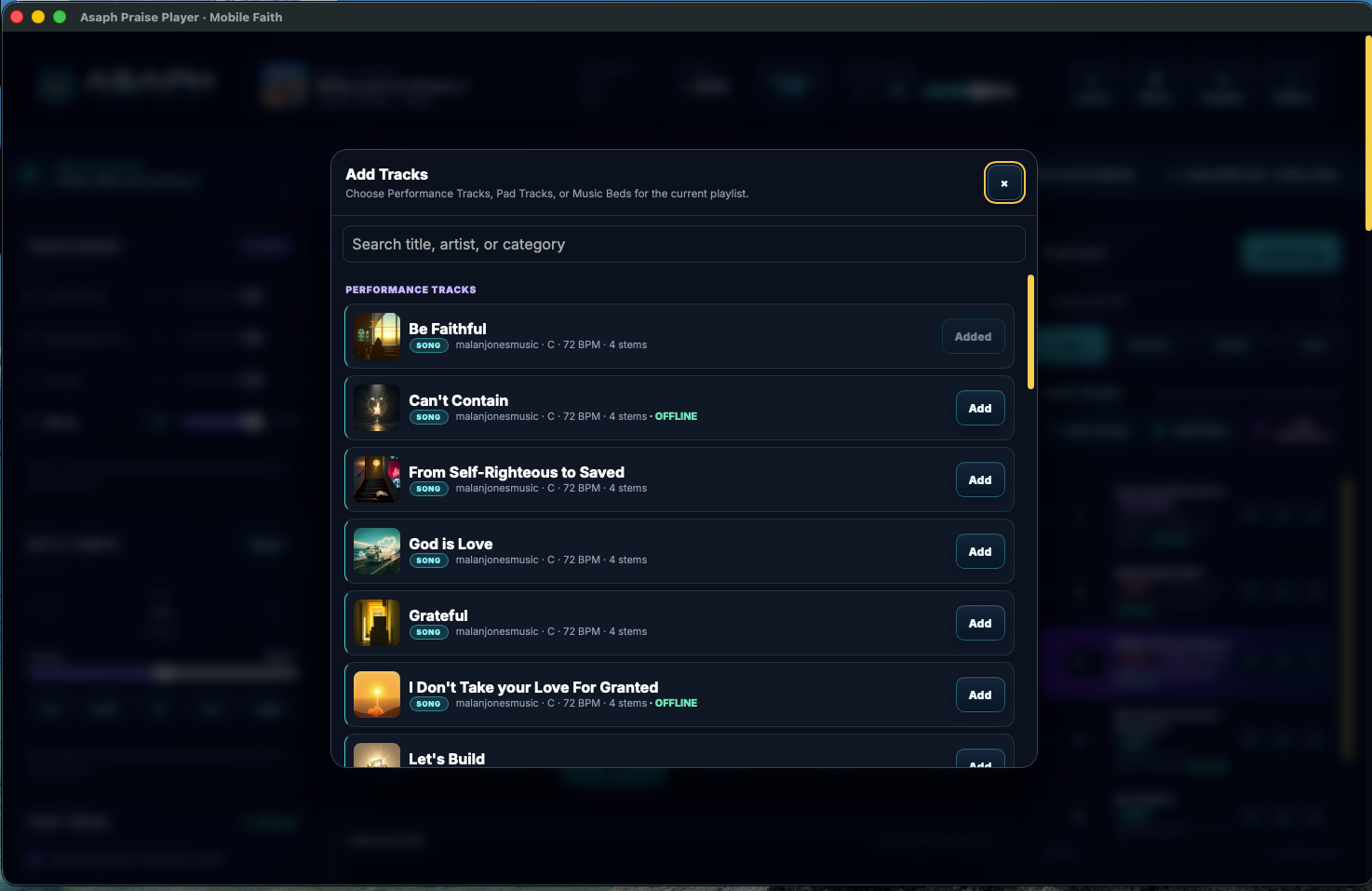
▶
Get the PlayerVideo demos are being added now.
Watch a full workflow walkthrough, live routing and lyric output demos here soon.
Software with a mission behind it
Your worship tool helps carry faith down the road.
Asaph is being developed by Mobile Faith—a family-led Christian media mission using music, testimonies, Bible audio, broadcasts and road-based outreach to point people back to Jesus.
A one-time purchase helps fund today’s work. A monthly plan keeps your software current while giving the mission dependable support for travel, production and continued development.
🚐 Road outreach🎙 Christian media🛠 Continued development♥ Mission support
THE SAME MOBILE FAITH GOAL
$12,000
raised toward $100,000
12% funded
Every completed Asaph purchase and monthly renewal moves this progress bar forward.
Choose the way you want to build
Own the player. Or help keep it growing.
Every plan includes secure checkout, immediate access and permanent use of the version you activate.Asaph Essential
$79one time
Permanent use of the current Mac release on up to two Macs.
- Current Asaph Praise Player for Mac
- 2 Mac activations
- Permanent use of every version received
- Current release included
- Optional monthly upgrade at any time
BEST FOR MOST TEAMS
SOFTWARE + MISSION
Asaph Mission Builder
$15/ month
Asaph for two Macs plus every update released while your plan is active.
- Current Asaph Praise Player for Mac
- 2 Mac activations
- Permanent use of every version received
- All new updates while subscribed
- Monthly contribution to the $100,000 mission goal
Asaph Studio Partner
$29/ month
Asaph for up to four Macs, ongoing updates, and public mission recognition if desired.
- Current Asaph Praise Player for Mac
- 4 Mac activations
- Permanent use of every version received
- All new updates while subscribed
- Monthly contribution to the $100,000 mission goal
- Expanded activation allowance for a larger production setup
Monthly plans can be cancelled through Stripe. The version already activated on your Mac remains usable; newly released updates require an active plan.
Built together
Mission builders moving Asaph forward.
Be among the firstChoose public recognition at checkout
Questions before the set
Clear answers.
What Mac does Asaph support?
The current universal release supports macOS 12 or later on Apple Silicon and Intel Macs.
Do I lose the software if I cancel monthly?
No. You keep using the version already activated. An active monthly plan gives you access to new releases and helps fund ongoing development.
How many computers can I use?
Essential and Mission Builder include two Mac activations. Studio Partner includes four. The same physical Mac remains recognized after normal updates or reinstalls.
How do I receive my license?
Stripe returns you to a private success page that immediately shows your activation key and download button. Save the key with your purchase email.
Does Asaph work without the internet?
Activation requires an internet connection. Once activated, the desktop player can validate its signed license offline; local media stays on your hard drive.
Does my purchase really update the mission goal?
Yes. Completed Asaph payments and monthly renewals are added once to the same goal total displayed on Mobile Faith’s homepage and sponsor page.
Be ready when worship moves.
Choose the player that runs the set—and the plan that helps move the mission.
Get Asaph Praise Player